
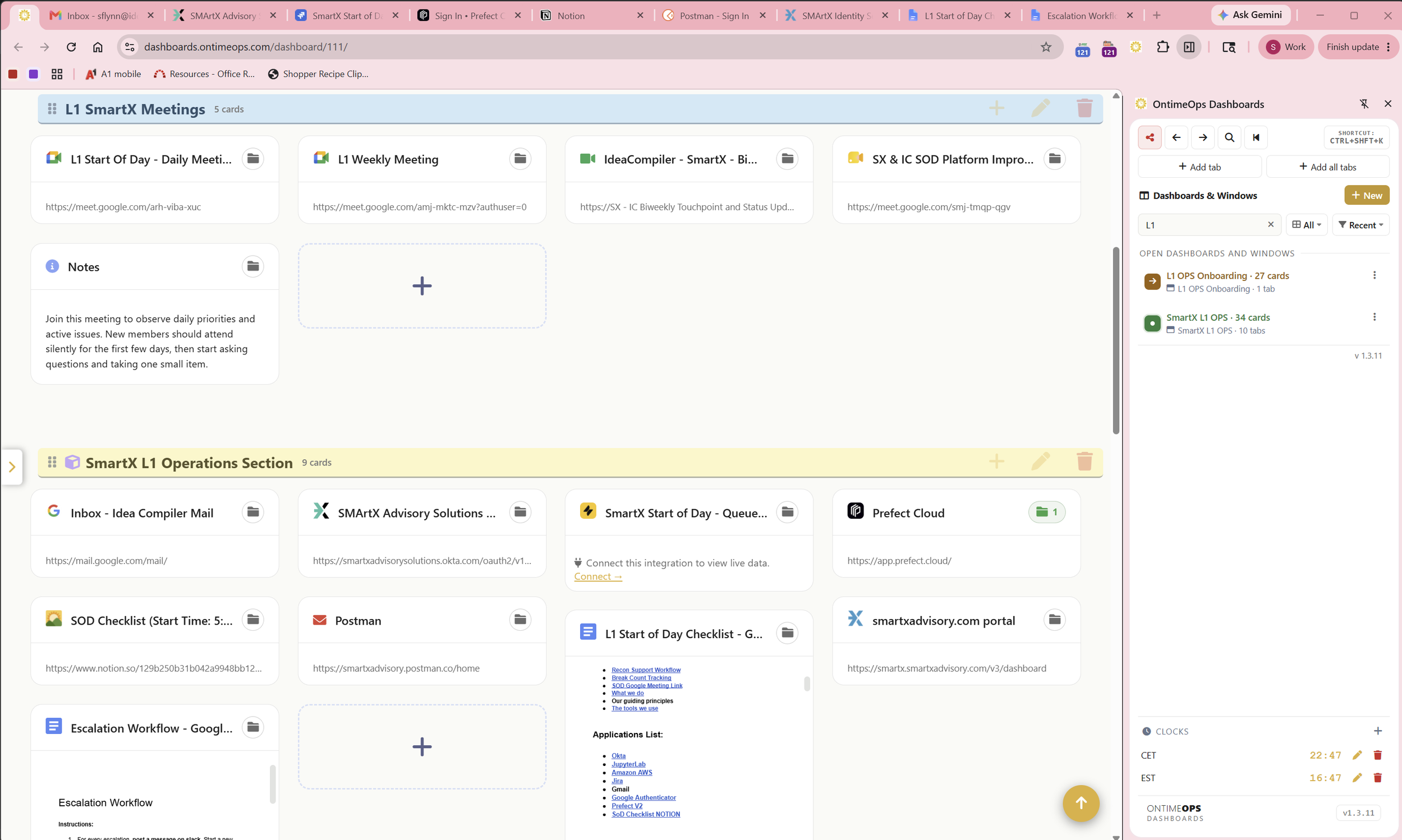
Organize by tasks and projects,
not by the tools you use.
Build visual dashboards for the operations work you do every day — with the live tabs, links, runbooks, and integration data you need, all in one place.
Project X Dashboard
In flight
Daily ritual
- Blockers first — not status
- Yesterday / today, 30 sec each
- Defer to parking lot past 2 people
Stop hunting through Chrome bookmarks and dragging dock icons around.
Your work isn't “open Notion” or “check Jira.” It's “run the standup,” “close the customer ticket,” “create the status report.” Ontime Ops Dashboards is organized the way the work happens — not the way your tools work.
Tools scattered across a hundred tabs
Every project re-discovers where its links live. New teammates spend their first week asking “where do we keep the…”
One dashboard per outcome you ship
Each project, task, or recurring ritual gets its own visual workspace. Open the dashboard — the tools come with it.
Save active tabs and useful links — with the instructions to actually use them.
Every link is a card. Every card can carry the runbook, the explanation, and the related sublinks underneath it — so the “how do I do this again?” question never lives in one person's head.
RUNBOOK ATTACHED
- Refresh the “Closed — Won” tab before 9am Monday.
- Tag any deals above
$500kfor leadership review. - If EMEA Δ goes red >5%, ping
@finance-opsin Slack.
Knowledge lives next to the work.
When a card holds a runbook, your team stops bottlenecking on the one person who knows the trick. New hires get up to speed in days, not weeks. And when something breaks at 3am, the on-call knows exactly what to do.
- ✓Rich-text notes with checklists, code blocks, callouts, links.
- ✓Folders inside each card for related sublinks — agendas, dashboards, post-mortems.
- ✓One-click capture from the Dashboard sidebar — current tab, all tabs, with title and favicon.
- ✓Tabs save themselves. Every tab you open in a bound window is captured to your dashboard automatically — no losing context, no “how did I get here?”
- ✓Shareable with your team — viewer, editor, or admin access per dashboard.
Operational systems, embedded as live cards.
Don't bookmark a Jira filter and forget it. Embed it. Your sprint board, your sales pipeline, your latest meeting — all updating themselves while you work.
Q4 Pipeline
Live cells from Google Sheets
All-hands · Q4 town hall
Google Meet · happening now
Training: NetSuite Imports
Embedded YouTube playlist · 8 videos
Built-in connectors
Drop in a URL — we'll detect the type and pull the right data. No spreadsheet copy-paste, no screenshot pinning, no “let me just check real quick.”
- ● Jira filters, issues, boards, projects
- ● Google Sheets cells & ranges
- ● Google Meet live status
- ● YouTube videos & playlists
- ● Wikipedia and 30+ embeddable sources
- ● Generic iframe embed for anything else
Dozens of sources, one workspace.
Connect once, drop URLs from anywhere. Ontime Ops figures out the rest — auto-detecting type, fetching title and favicon, rendering the right kind of card.
Pick the density that fits the work.
Glance at a dashboard during standup, batch-edit a hundred links before launch, or peek at a daily ritual — switch view modes per dashboard, persistent per user.
Standard
DEFAULTVariable-sized cards with live content peek — Jira rows, sheet cells, embeds. Best for daily-glance recognition.
Brief
DENSECompact icon tiles — many cards per row. For fitting many cards on screen and quick visual recognition.
Detail
POWERSortable list with name, last-visited, created date and more. Click any column to sort. Best for batch operations and finding by name.
Your team's institutional knowledge, instantly accessible.
Runbooks, checklists, on-call procedures, vendor instructions — the things that used to live in a Confluence page no one updates. Attach them to the cards where the work actually happens.
Runbooks
Step-by-step procedures attached to the card you'd actually open to run them. New on-calls get it right the first time.
Knowledge base
Pin reference docs, screenshots, and decisions inside the card — no more “ask Dave, he was here when we decided.”
Onboarding
Share a dashboard with a new hire. Everything they need — tools, logins, conventions, contacts — arranged the way the team actually works.
Get out of the bookmark bar.
Into the dashboard.
Teams get shared dashboards, roles, and admin controls. Set up your first dashboard in under five minutes.